
Walkable property tours
Walk through a 3D scan of a real home on a phone or computer: rooms, map, measuring, tags, and how to order one for your property.
A walkable property tour is a 3D scan of a real home that visitors walk through freely. It is not a set of 360° photos with fixed viewpoints. It opens from a link in the browser of a phone or computer, with no app and no account. Open the sample tour and try this guide on it.
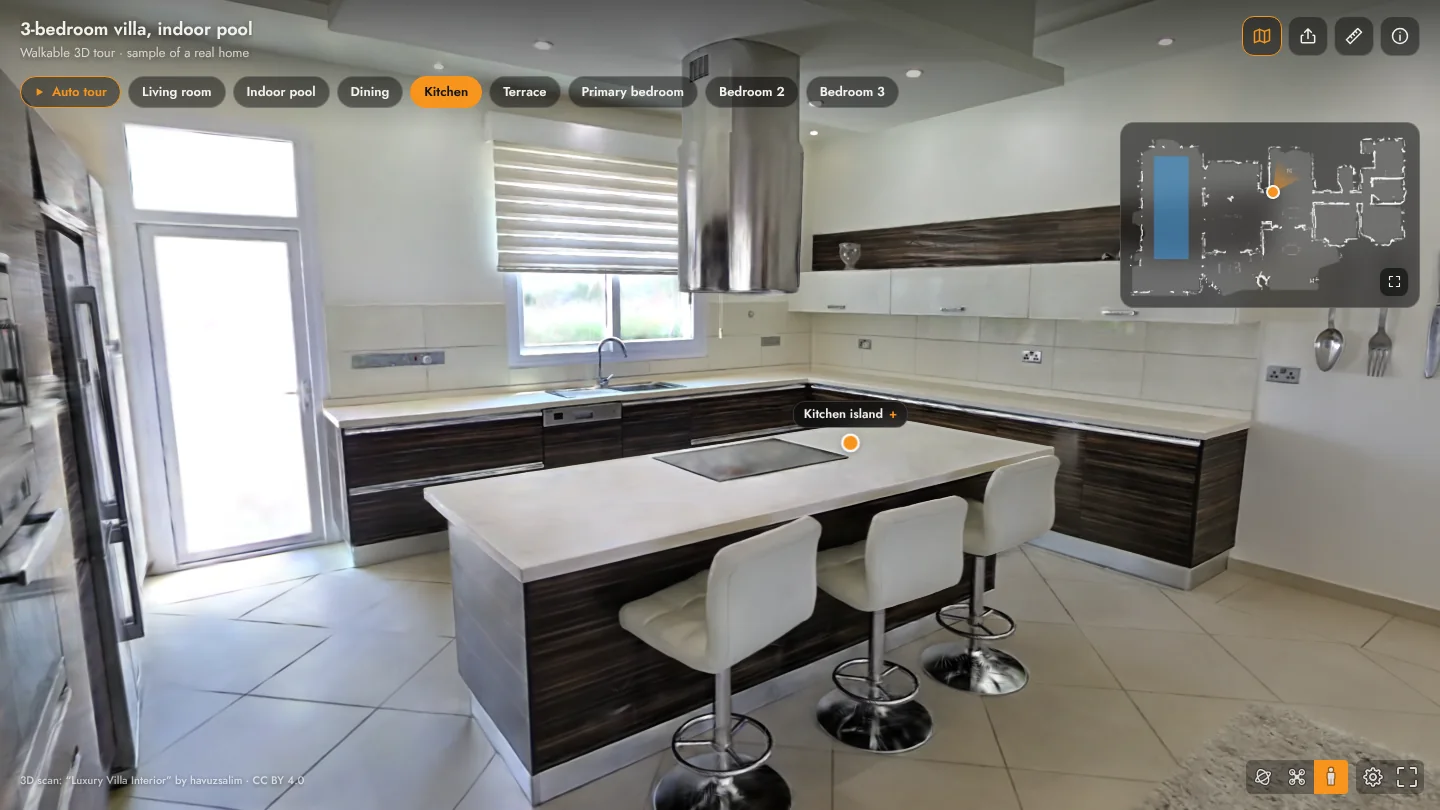
Moving around
| Computer | Phone or tablet | |
|---|---|---|
| Look around | Drag with the mouse | Drag with a finger |
| Walk | W A S D or the arrow keys | Drag the circle at the bottom of the screen |
| Go to a spot | Click the floor | Tap the floor |
| Go to a room | The room’s name in the top bar, or the same spot on the map | |
Walls and furniture stop you, as they would in the real home; go through a doorway to reach the next room.
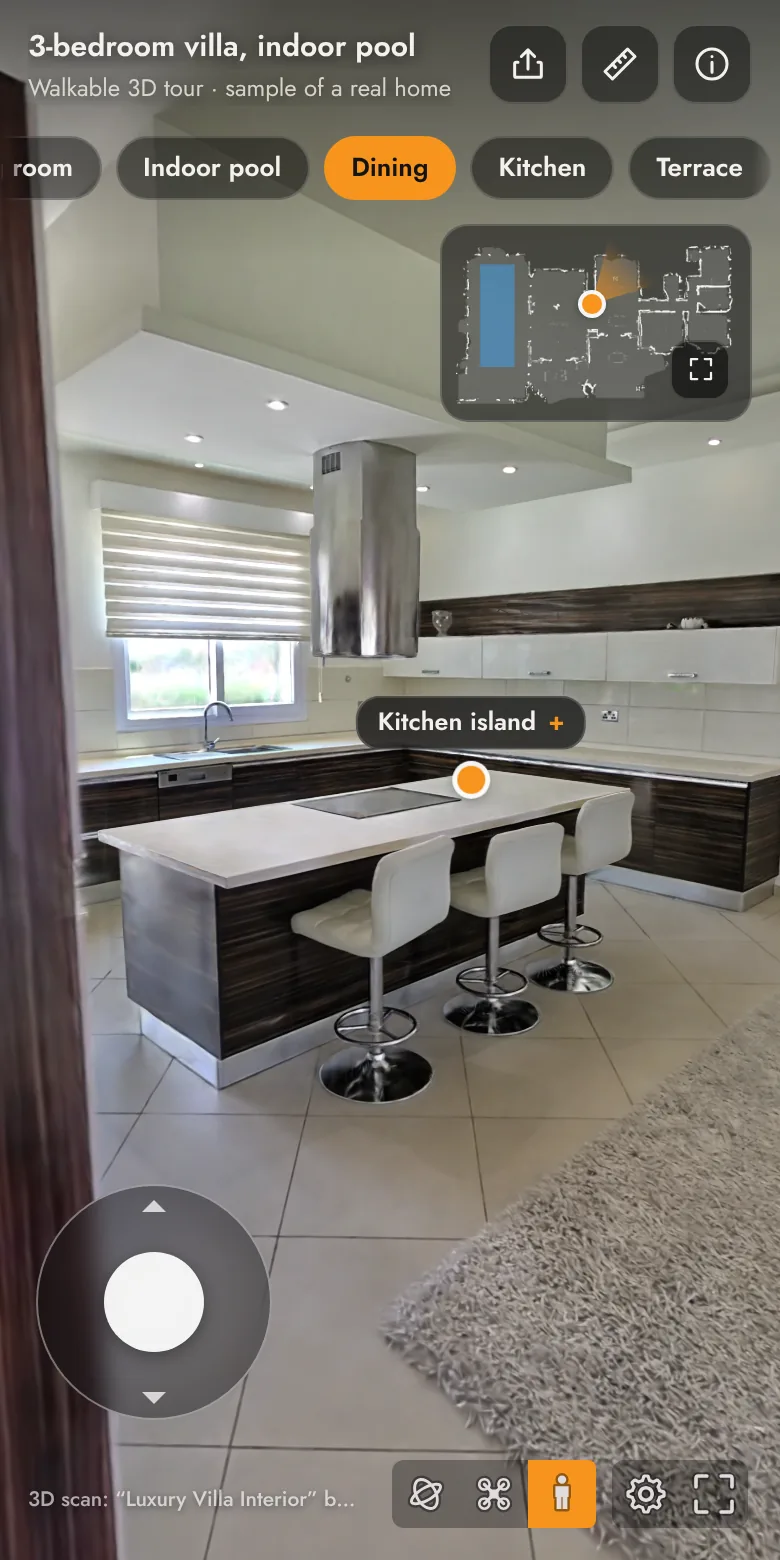
Rooms, map and top view
- The room bar at the top takes you straight to any space and highlights the room you are in.
- The small map shows where you are as an orange dot, with the direction you are facing. Tap anywhere on the map to go there.
- The button in the corner of the map opens the Top view: the whole home from above, with the names of its spaces.
- Auto tour shows the rooms one after another and stops at your first touch.
Measuring
- Press the ruler button at the top of the screen.
- Tap the first point, then the second. The distance is written on the line between them, in metres and in feet and inches.
- Pick two more points for the next measurement. Up to six stay on screen at once.
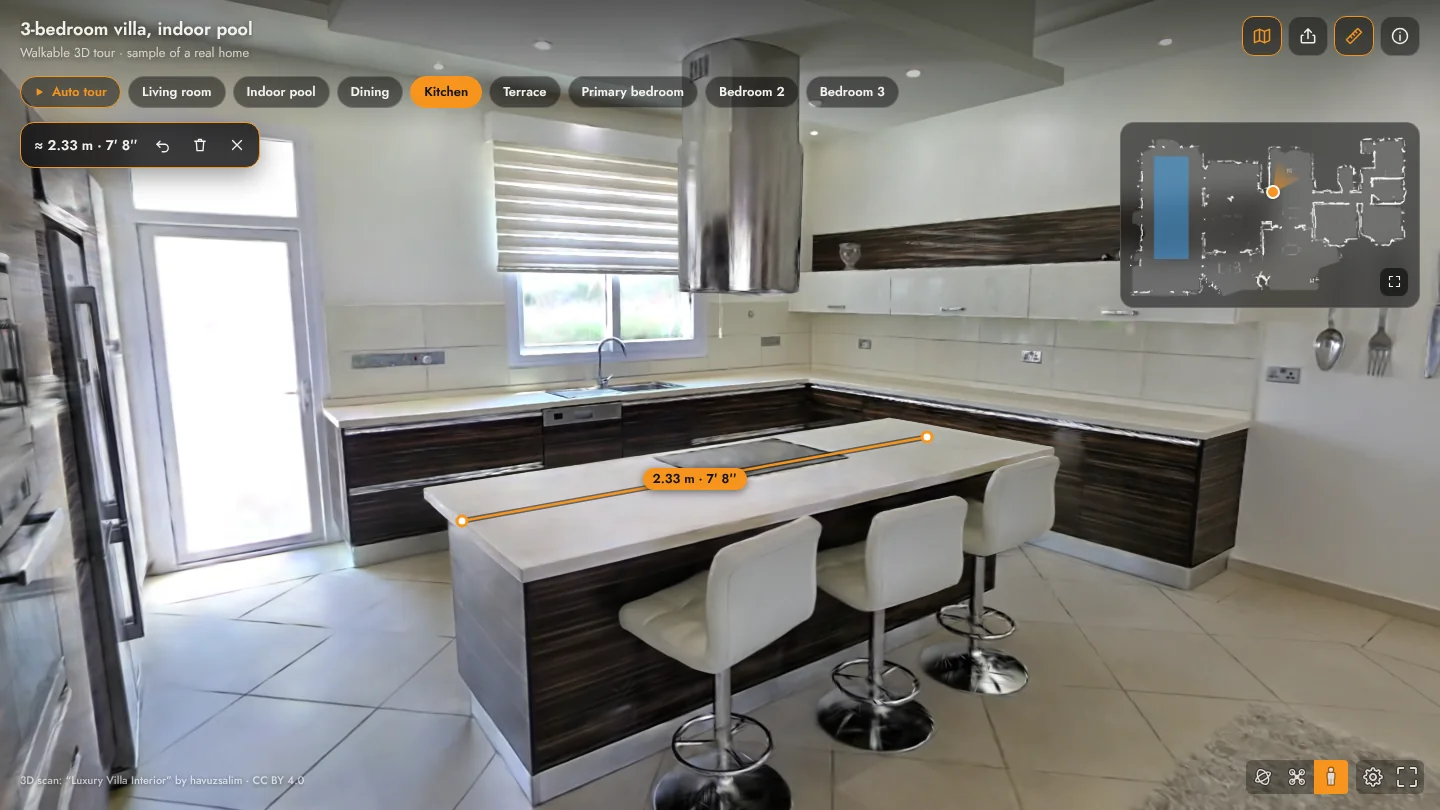
The buttons next to the number undo the last point, clear everything or close the tool. While the tool is open a tap places a point, so walk with the circle at the bottom of the screen or with the keys.
Measurements are approximate. Points sit on the surface of the scan: looking at a surface from close up and straight on, they are typically within a few centimetres; from far away or at a shallow angle, and on glass, mirrors and thin edges, the error grows to a few per cent. For a contract, a cabinet order or any precise work, measure on site.
Tags
Orange dots with a short name mark the features of the home: the pool, the fireplace, the kitchen island. Tap one to read its note. A tag shows only while the thing itself is in view; it stays hidden behind a wall.
Sending the link
The Share button sends a link to the room you are standing in, so the person who opens it starts there.
Picture quality
The tour matches its quality to the device: the first few seconds are simpler, then the detail fills in. The gear button at the bottom of the screen sets the quality by hand. From very close up, a 3D scan is not as sharp as a photograph.
Ordering one for your property
In the sample tour, press Get one for my property and leave your name and mobile number. We will contact you to arrange filming and build the tour.
This service is new and every property is assessed individually; the delivery time and the price are confirmed in that call.