
Product cards (info points)
Put a card with a name, price, description and shop link on any object in the tour.
An info point is a small card on an object in the tour: a product name, a short description, a price and a link to the product page. Visitors open it with a tap, and you see how often each card was opened in Tour insights.
Add an info point
- Open your tour while signed in (Tours › Open).
- Turn so that the centre of the screen is on the object, for example the pendant lamp. If the centre is not on a surface, the tour says Aim the centre of the screen at the object, then try again.
- Select Add info point.
- Fill in the card: Title (required), Description, Price (optional), Product link (optional), and if you like a Picture link and a Video link: YouTube, Vimeo, Aparat or an MP4 file. Pictures and videos must be on an
https://address. - Save. The point appears on the object for every visitor.
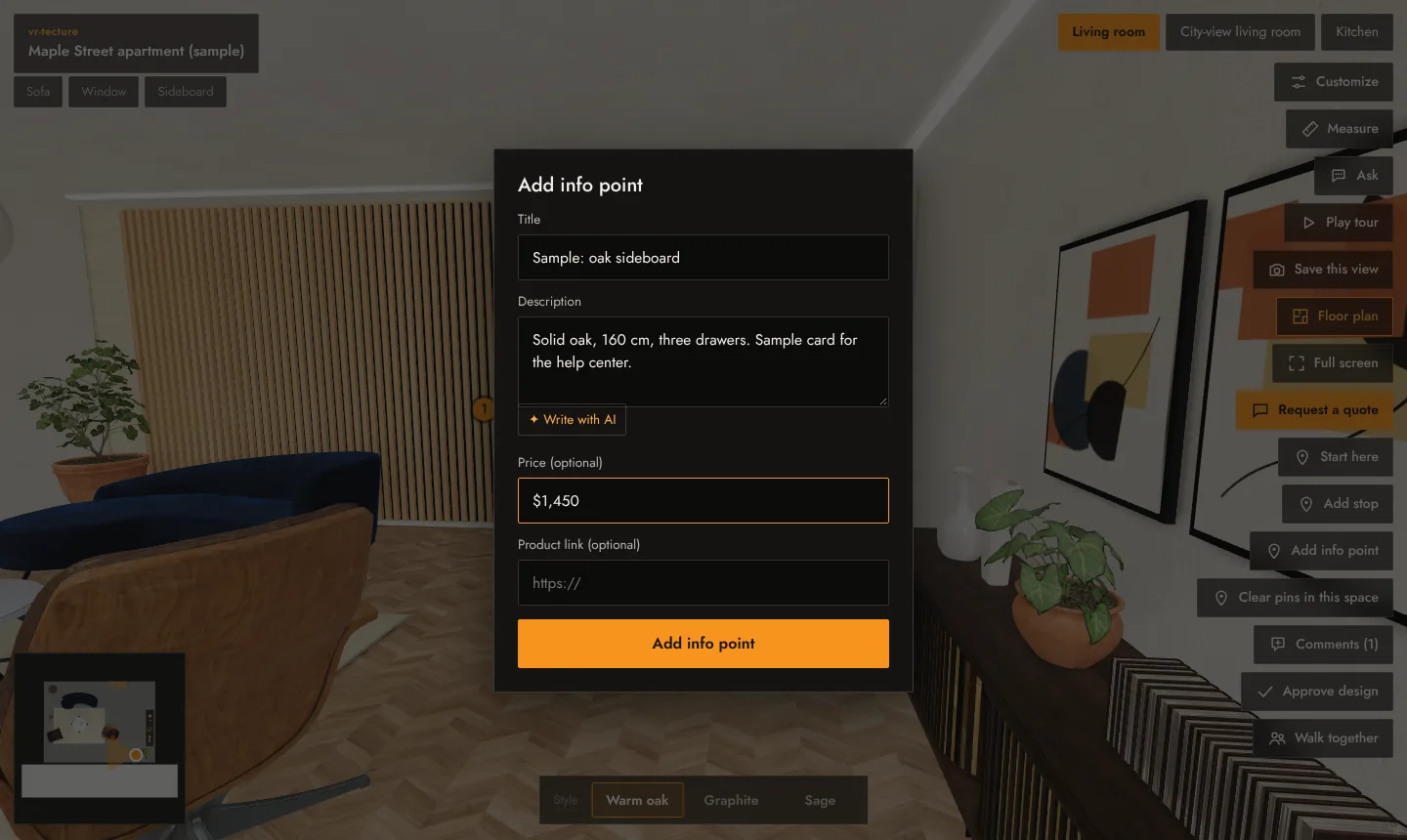
When the AI assistant is available, the form has ✦ Write with AI, which drafts a short description from the title. Read and edit it before saving.
What visitors see
A marker on the object. Tapping it opens the card: the video (it plays inside the card) or the picture, then the title, price and description, and View product when you added a link. The link opens in a new tab, so the tour stays open.
Change or remove
Signed in, open the card and select Remove, then add it again with the new text. A space can hold up to 30 info points; the description can be up to 400 characters.
Info points belong to a space and show in all its styles. For prices that change with the style or the client’s choices, use Client choices and prices instead.