
The AI assistant in your tours
Visitors ask about the space by text or voice; the assistant can switch styles and options for them.
The assistant answers your visitors’ questions about the space while they walk: what can be changed, what a style costs, which worktop goes with the cabinets. It can also act for them: switch the style, change an option, go to another room or open the quote form.
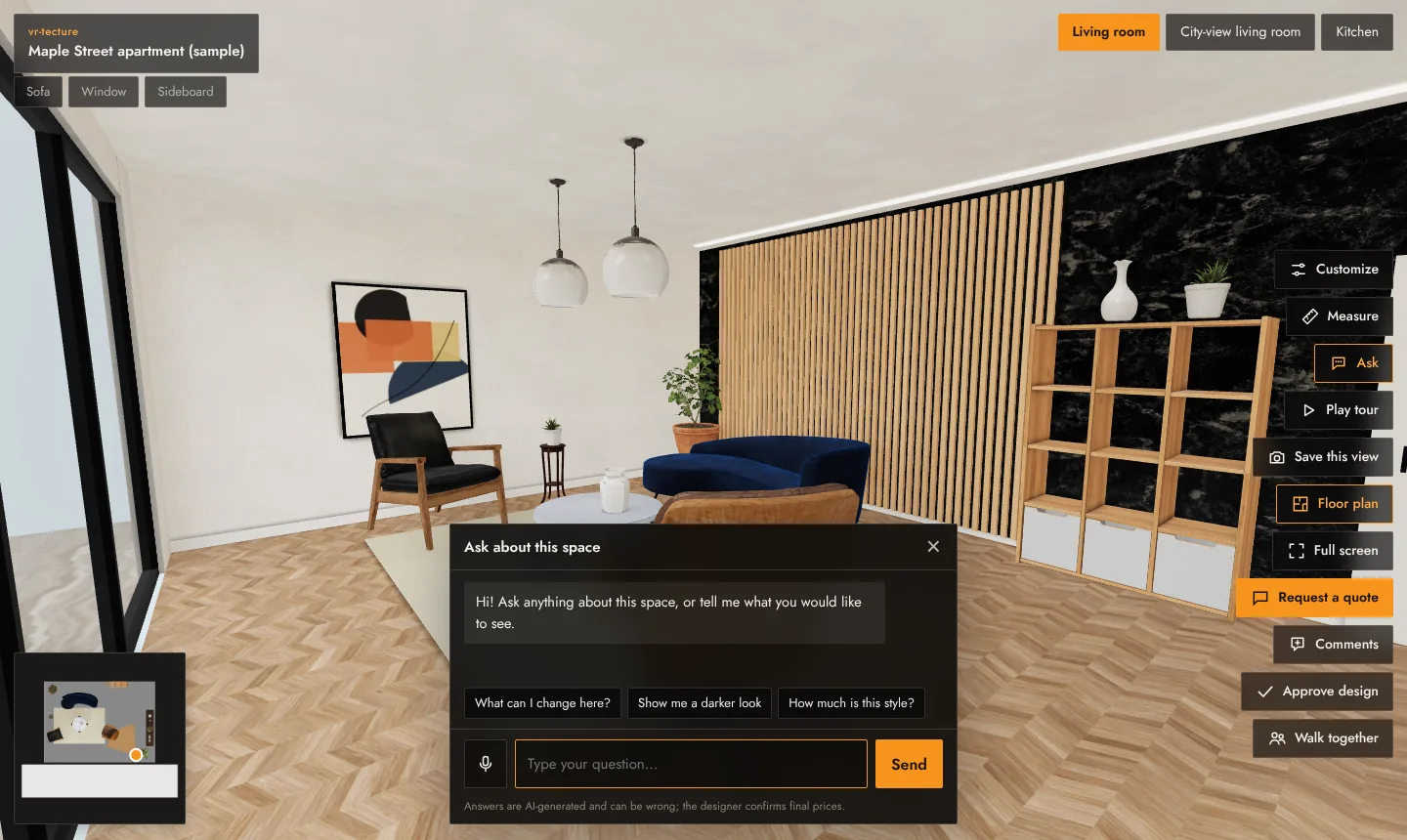
How visitors use it
- Type: select Ask, type a question or tap a suggestion such as What can I change here? or Show me a darker look.
- Talk: select the microphone to speak; the assistant answers aloud. The browser asks for microphone access the first time. Voice chat ends by itself after 90 seconds of silence.
- In VR: hold the grip button to talk. See Moving and the menu in VR.
What it knows
The assistant works from the tour itself: the spaces and styles with their prices, the client choices with their prices or notes, and your info points. It does not invent options you did not set. Every answer panel says: Answers are AI-generated and can be wrong; the designer confirms final prices.
Clear names and prices make the assistant more useful: “Nero marble, +$3,100” is easier to explain than “Option 2”. See Client choices and prices.
Limits
- Up to 40 questions and 3 voice chats per visit, and a daily limit per tour, so a tour cannot run up costs.
- The assistant runs on a service outside Iran and is not available in some regions; there, visitors see that it is not available and the rest of the tour works as usual.
For you in the studio
- Draft a reply with AI on a request writes a first reply in the client’s language. See Quote requests.
- ✦ Write with AI drafts the description of an info point. See Product cards.
Always read and edit AI text before you send or publish it.