
Dress surfaces with real materials
Give floors, walls and worktops true-to-scale materials from the library, without exporting again.
Finishes put real materials on the surfaces of your model: oak floors, marble, tiles, plaster, fabric, leather. They are true to scale and they appear in the tour as soon as you save, with no need to export again. This is the quickest way to make a model from Revit or SketchUp look finished.
Open Finishes
- On the Tours tab, select Edit on the tour.
- On the style you want to dress, select Finishes. (Upload a model for the style first.)
- The panel lists every surface of the model by its material name, with a swatch. Untouched surfaces read As modelled.
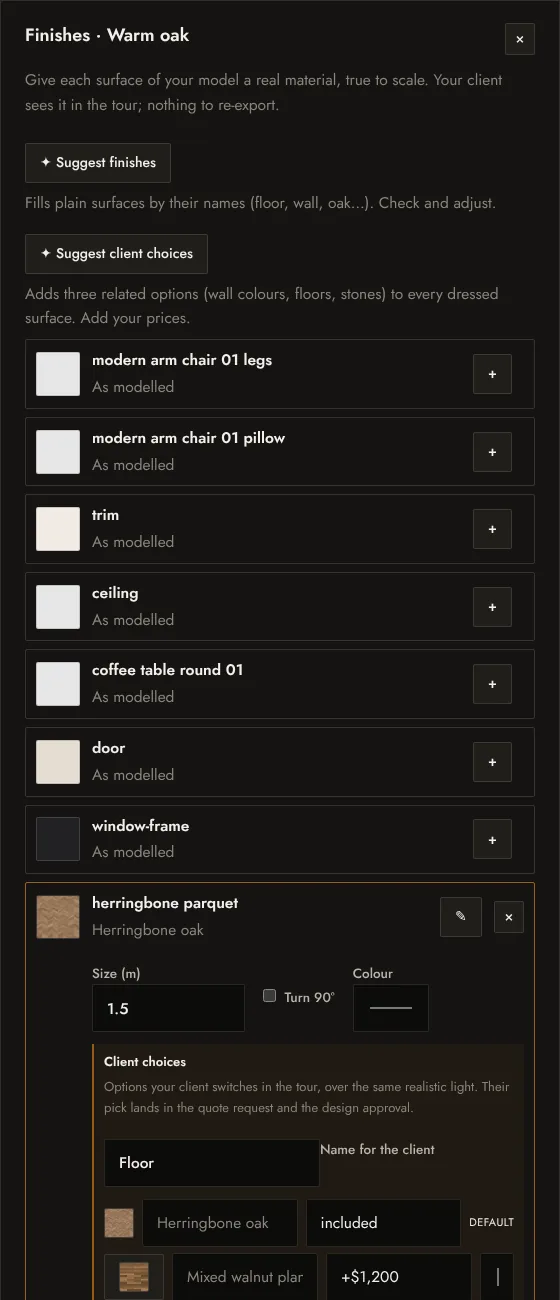
Give a surface a material
- Select + on a surface.
- Pick a material from the library. Filter by group: wood floors, wood, tiles, stone and marble, walls and concrete, fabric, leather, carpet, metal.
- Adjust it if needed:
- Size (m): how large one tile of the pattern is in metres, for example 0.6 for 60 cm tiles.
- Turn 90°: run boards or tiles the other way.
- Colour: tint the material, for example to match a paint; Original colour removes the tint.
- Select Done, then Save tour. Finishes are published when the tour is saved.
On a dressed surface, ✎ picks another material and × takes it back to As modelled: exactly as in your file, with its own texture.
Suggest finishes
Suggest finishes fills plain surfaces by their names: a material called “Floor” or “Oak” gets a wood floor, “Wall” gets plaster, “Marble” gets marble, and so on. It is a fast first pass; check each suggestion and adjust it. Clear names in your design software make the suggestions better.
About the materials
The library has close to 80 physically based materials, made for real-time light. They come from ambientCG and are free to use (CC0), so there is nothing to license. Materials look their best with realistic lighting.
Next: let the client choose
Any dressed surface can also offer options with prices that your client switches in the tour. See Client choices and prices.