
How vr-tecture works
From your 3D model to a link your client walks through on a phone, a computer or a VR headset.
vr-tecture turns the 3D model you already make for a project into a tour your client can walk through: on a phone, on a computer or in a VR headset, from a link, with nothing to install.
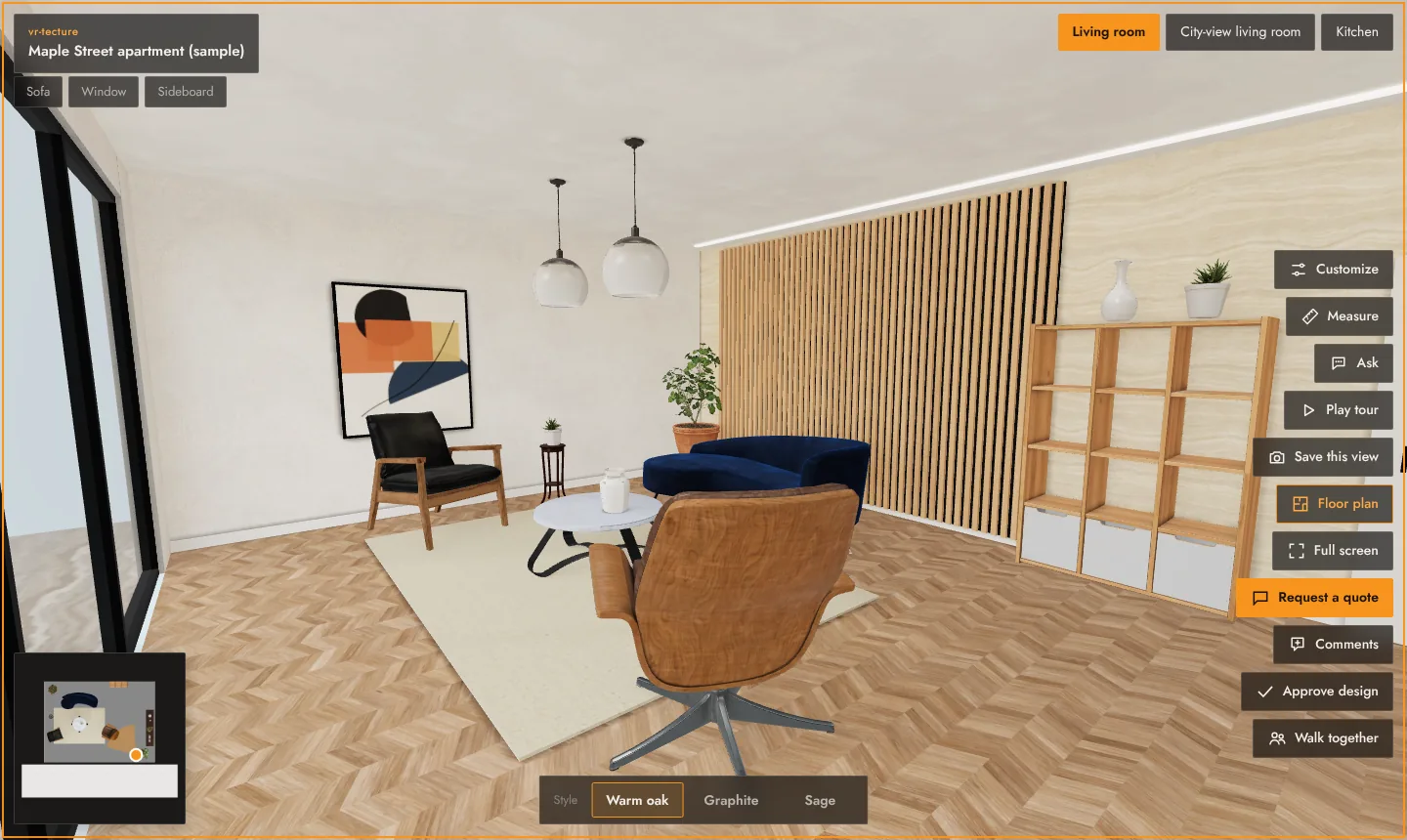
The three parts
- Your studio. You sign in at vr-tecture.net/en/studio, create a tour and upload your model. You can add finishes, client choices with prices, a start point and stops. See Find your way around the studio.
- The tour. Each tour has a private link. Anyone you send it to can walk the space, switch styles, measure, comment, approve the design or ask for a quote. See What your client can do in a tour.
- The follow-up. Requests, comments and approvals come back to your studio, with what the client picked. Insights show what visitors looked at and for how long. See Quote requests and Tour insights.
Words we use
| Tour | One project you share with one link, for example “Maple Street apartment”. |
|---|---|
| Space | A room or a unit inside the tour: Living room, Kitchen, Unit 3B. Visitors switch spaces at the top of the screen. |
| Style | One version of a space, with its own model: Warm oak, Graphite, Sage. Visitors switch styles at the bottom of the screen. See Spaces and styles. |
| Finish | A real material you put on a surface of the model: an oak floor, a marble wall. See Dress surfaces with real materials. |
| Client choice | An option the client switches inside a style, often with a price: “Nero marble +$3,100”. See Client choices and prices. |
| Request | A quote request the client sends from the tour. It carries everything they picked. |
What you need
- A 3D model of the space. GLB is best; FBX from Revit or 3ds Max, DAE from SketchUp, OBJ and STL work too. See Supported files, sizes and units.
- A current browser: Chrome, Edge, Safari or Firefox. The studio works best on a computer.
- For your client: only the link. A VR headset is optional. See Open a tour in a VR headset.
Tip
No model yet? Start from a ready-made room to see how a tour feels, then swap in your own project. See Start from a ready-made space.