
What your client can do in a tour
Walking on a phone or computer, the floor plan, measuring, switching styles, saving a view and asking for a quote.
Your client needs only the link. The tour opens in any current browser on a phone, a tablet or a computer, and in VR headsets. The first time, a short card explains how to move.
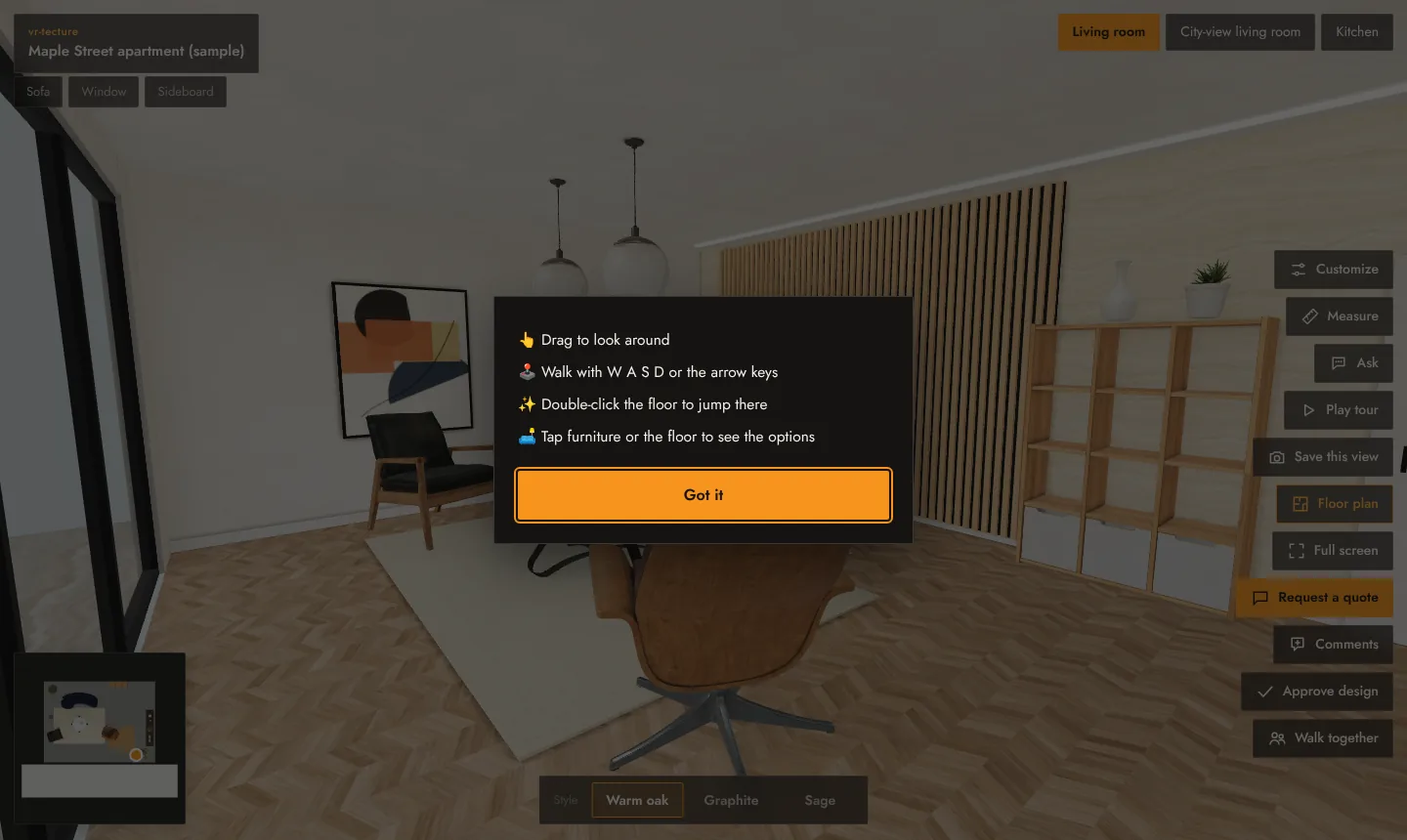
Moving
| Computer | Phone or tablet | |
|---|---|---|
| Look around | Drag with the mouse | Drag with a finger |
| Walk | W A S D or the arrow keys | The on-screen joystick |
| Jump to a spot | Double-click the floor | Double-tap the floor |
| Change room | The space buttons at the top | |
| Change style | The style bar at the bottom | |
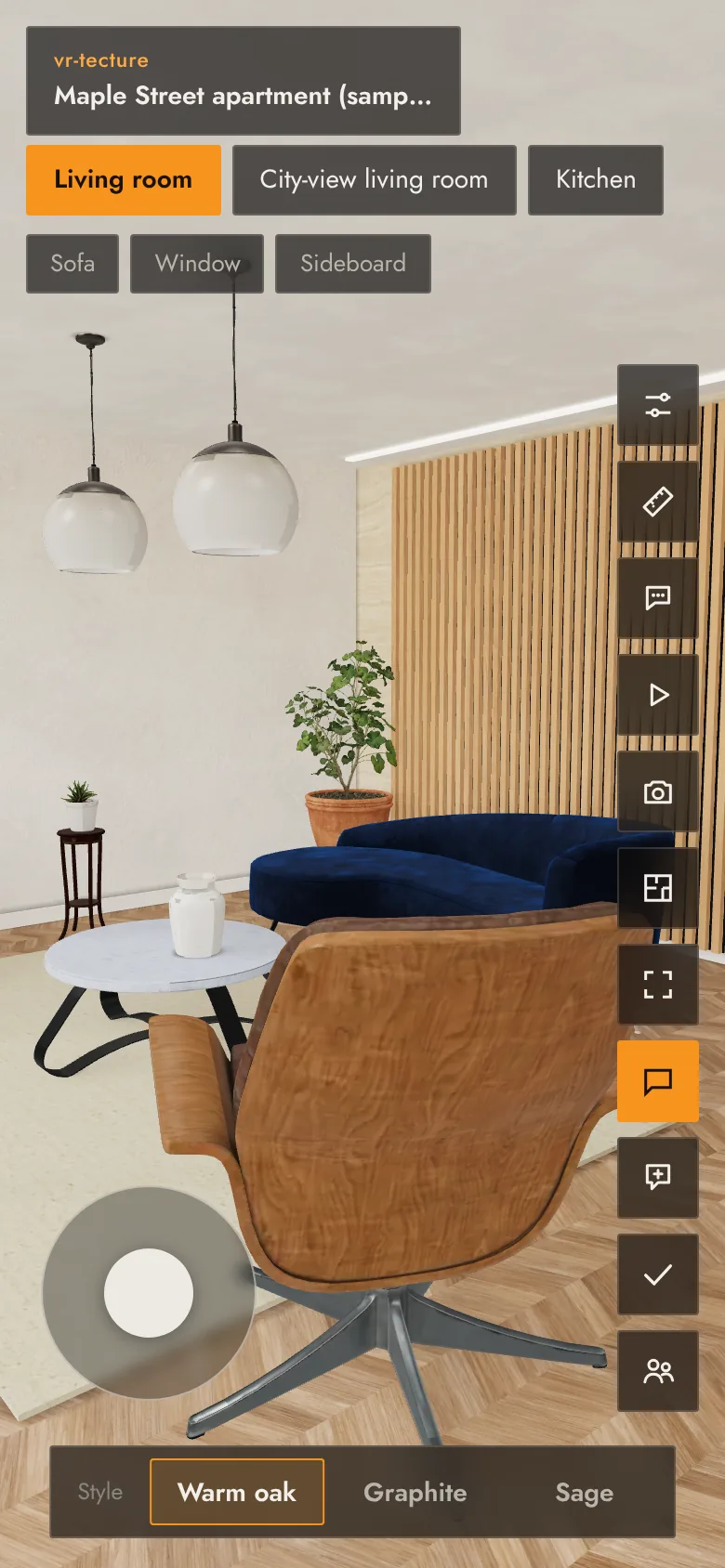
The buttons
| Customize | Switch surfaces and items, with prices. See Client choices and prices. |
|---|---|
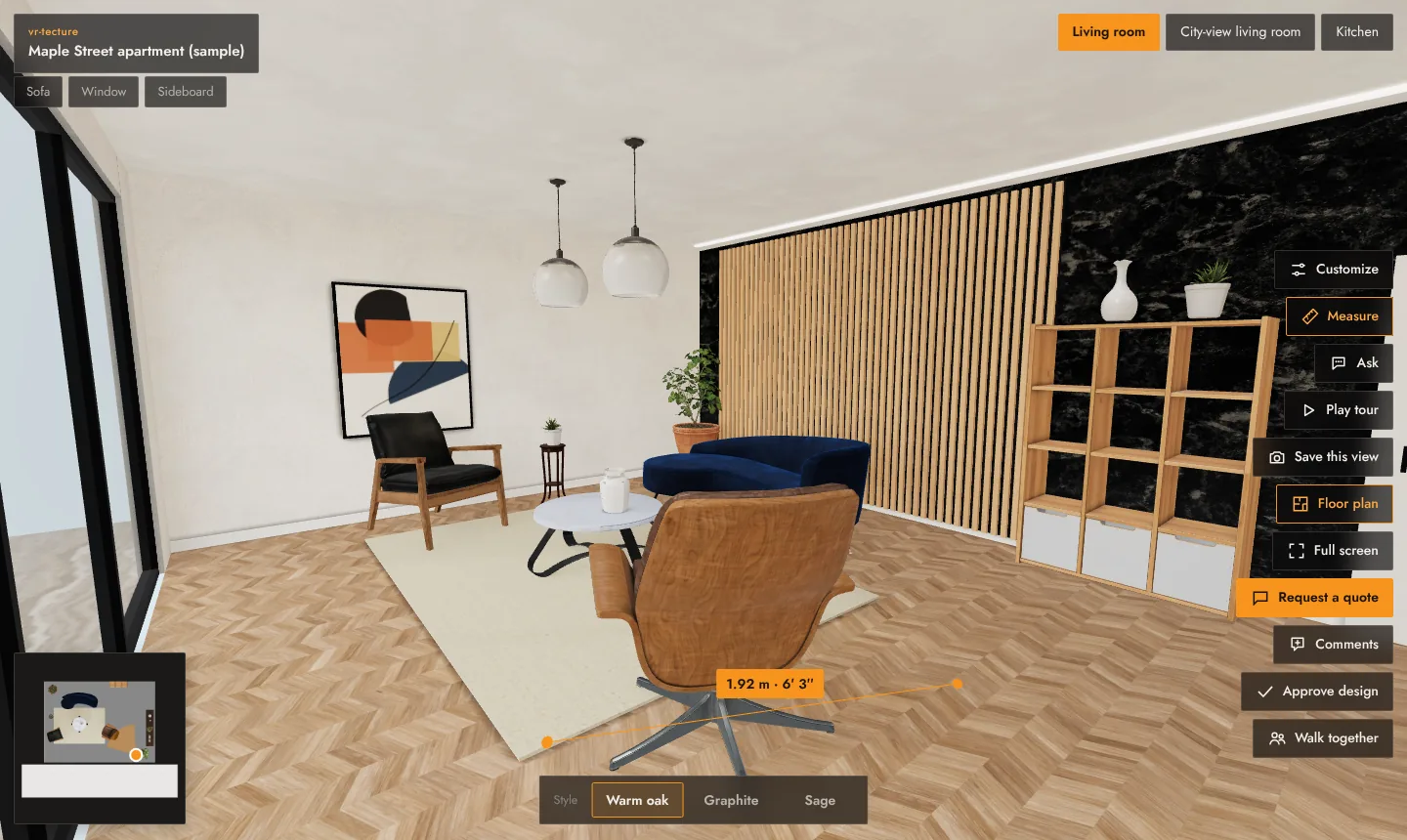
| Measure | Tap two points to see the distance, in metres and in feet and inches. Select it again to stop. |
| Ask | Questions to the AI assistant, by text or voice. See The AI assistant. |
| Play tour | A guided walk through your stops. See Start point, stops and the guided tour. |
| Save this view | Downloads the current view as a sharp image, at twice the screen’s resolution, ready for print or a presentation. |
| Floor plan | Shows or hides the small plan in the corner; tap the plan to go to that spot. |
| Dollhouse view | The whole space from above with the ceilings cut away. Drag to turn, scroll or pinch to zoom, tap the floor to walk there. See below. |
| Full screen | Hides the browser around the tour. |
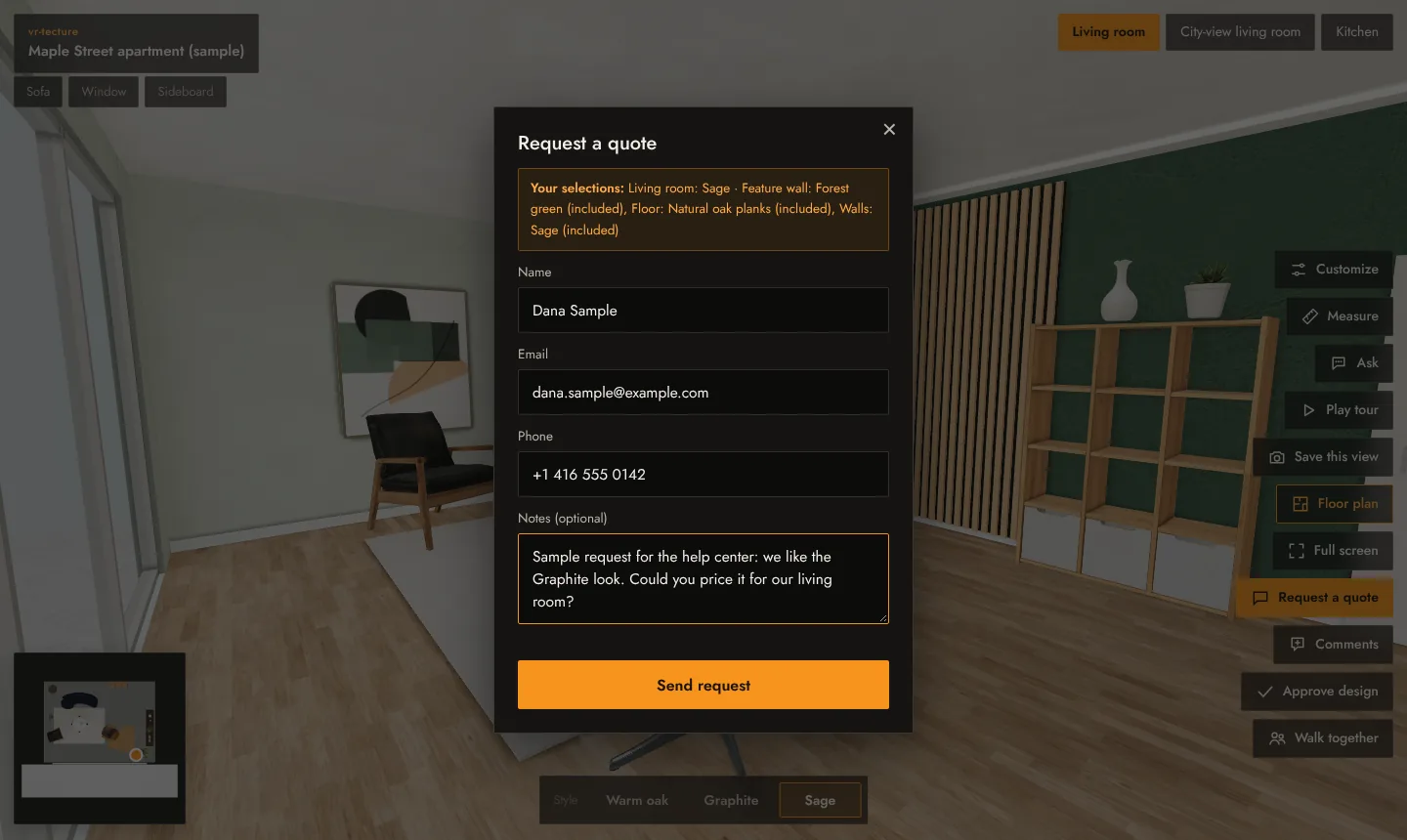
| Request a quote | Name, email or phone and a note; the selections are added. See Quote requests. |
| Comments | Comments pinned to the model. See Comments on the model. |
| Approve design | A dated approval of what is shown. See Design approval. |
| Walk together | A live session with others. See Walk a tour together. |
| Enter VR | Shown only in browsers that support VR headsets. See Open a tour in a VR headset. |
Some buttons appear only when they apply: Request a quote when you left it on for the tour, Ask when the assistant is available.
Dollhouse view
Dollhouse view lifts your client above the space: the ceilings are cut away and the whole storey shows at once, with a marker where they stand. It is the quickest way to understand a layout before walking it.

- Drag to turn around the space; scroll, or pinch on a phone, to come closer.
- Tap the floor (or a piece of furniture) to walk to that spot at eye height.
- Esc or the button again goes back to walking where you were.
Accessibility
The tour can be used with the keyboard alone, the buttons have text labels for screen readers, and the space and style announce themselves when they change.