
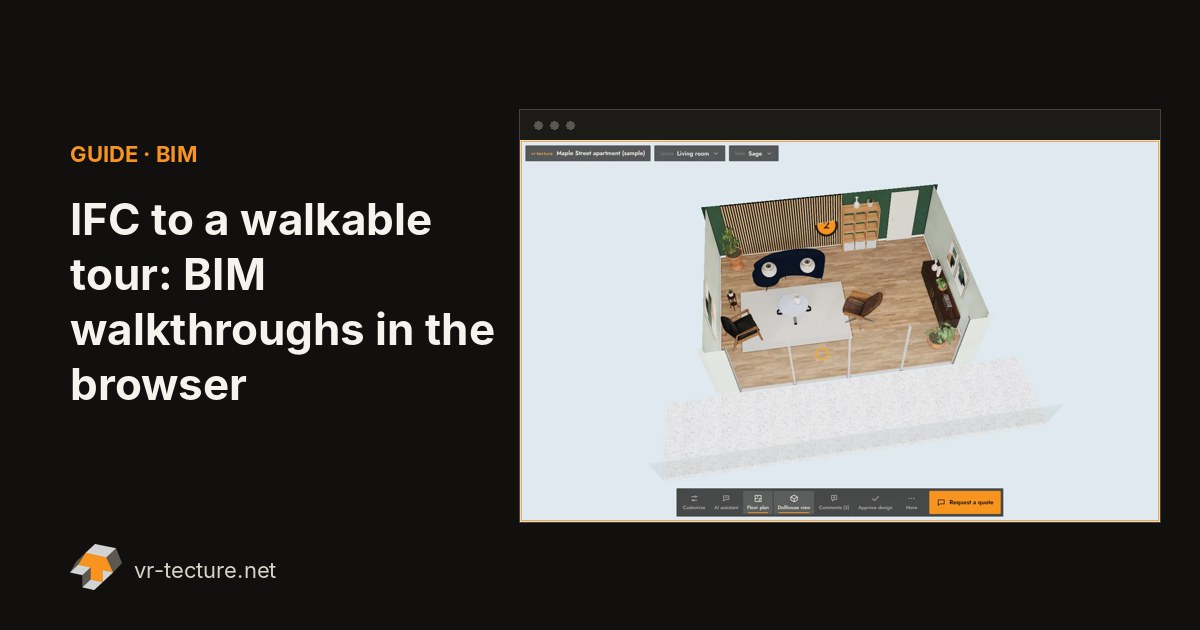
Short answer: an IFC file from Revit, ArchiCAD or another BIM tool can become a walkable tour in the browser without a viewer app: upload the file, and clients open a link on a phone, a computer or a VR headset.
Why IFC is a good starting point
IFC is the open exchange format for building models. Unlike a plain mesh, it knows what each element is: wall, floor, door, window, stair. That information is useful in a walkthrough, because finishes can be assigned by element type instead of surface by surface.
What to export
- Export the part of the building a client needs to see, such as one apartment or one floor, rather than the whole project.
- Leave out structural analysis, MEP runs and annotation unless they are the subject of the review.
- Keep the file under 200 MB; a single dwelling is normally far smaller.
From IFC to a tour
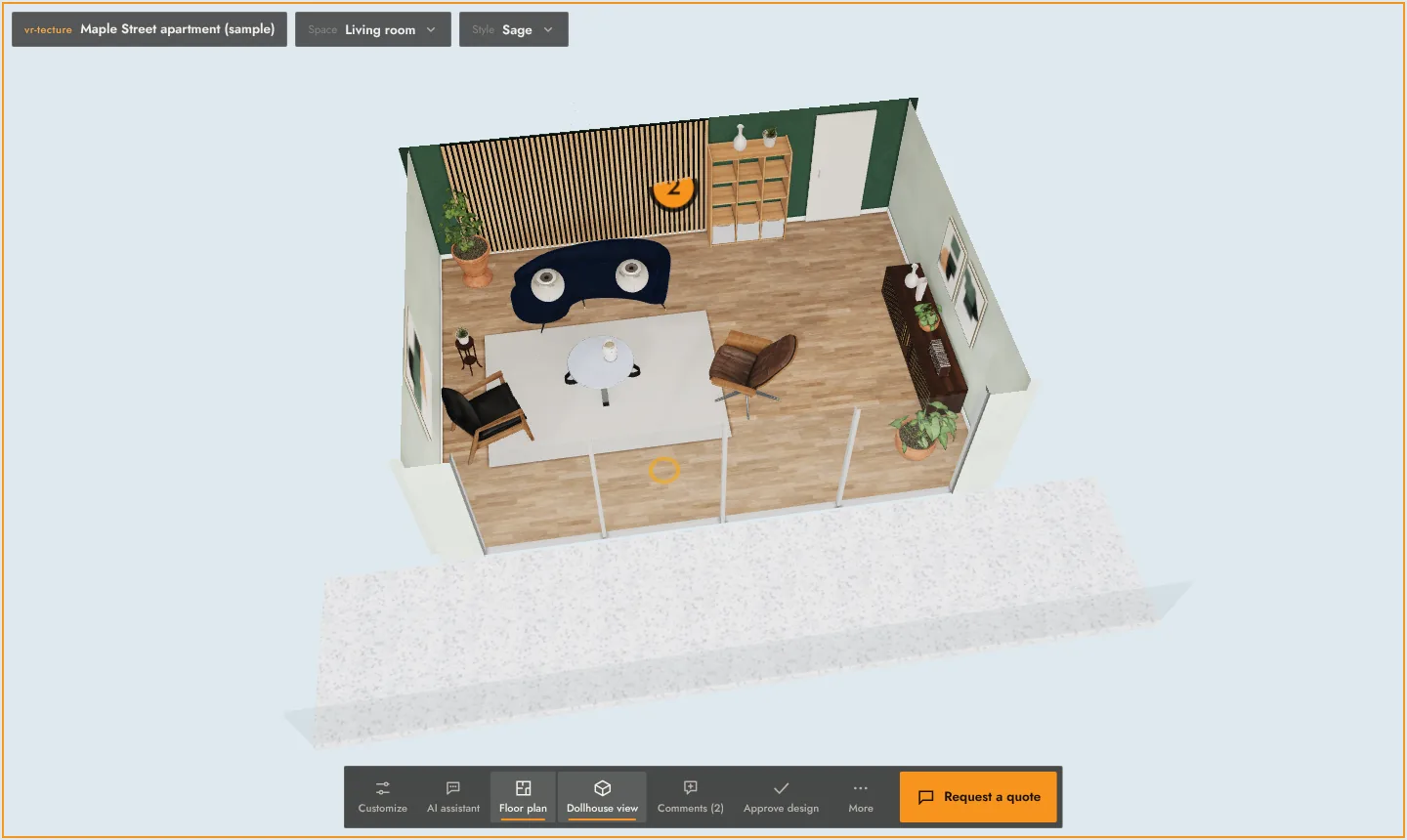
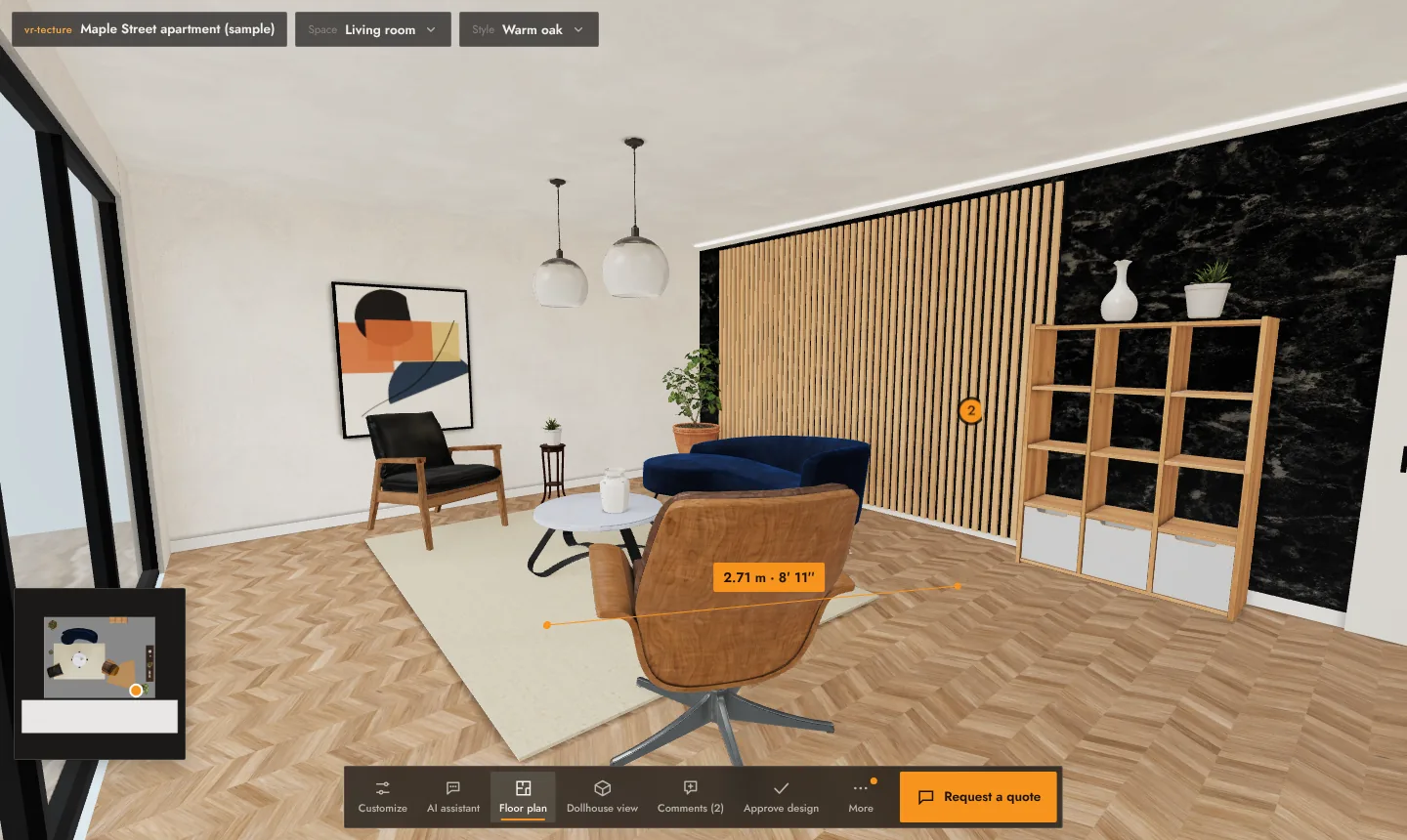
What the client can do
- walk through at real scale, on screen or in a headset;
- switch between finish packages and see the price of each;
- comment on the model and approve a choice, which is recorded and sent to you.
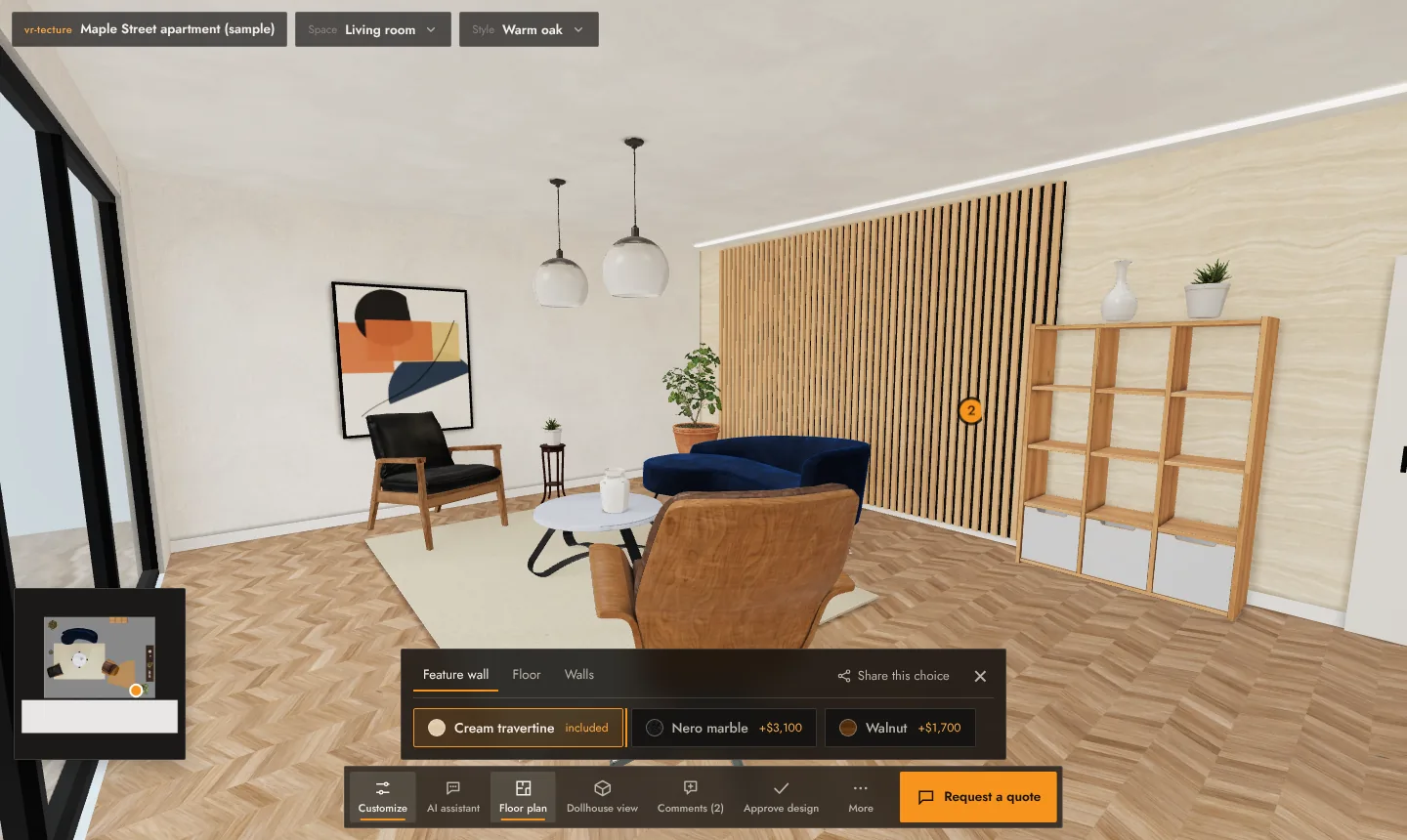 123
- 1Chosen finish
- 2Price difference of each option
- 3Request a quote
Who this is for
Developers selling units off plan use it to let buyers choose finishes before construction. Architects use it for client reviews when the model already lives in BIM. From Revit you can also publish directly with the Revit add-in; see Revit to VR.
Common questions
Is my model uploaded as it is?
The conversion to a web-ready 3D file happens in your browser before anything is sent.
Which other formats work?
GLB, FBX, DAE, OBJ and STL are also accepted; see Supported files, sizes and units.