Plug-ins5
Design in your own software. Publish the tour from there.
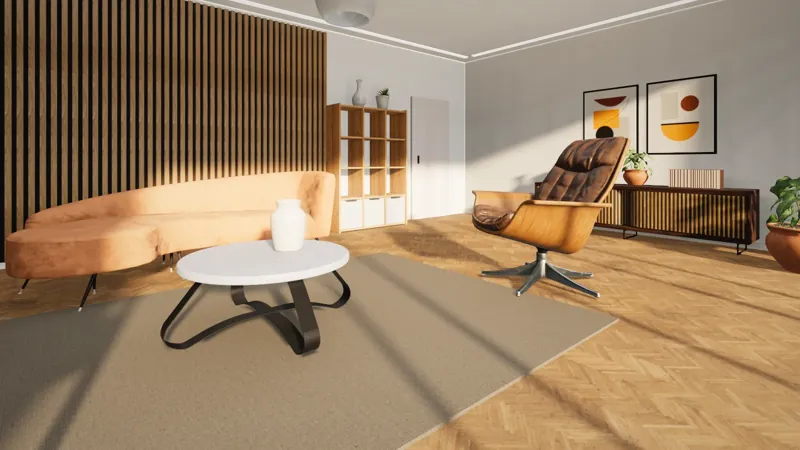
vr-tecture works inside SketchUp, Blender, 3ds Max, Revit and Rhino. You connect with a code, and the model becomes a walkable tour without exporting and uploading by hand.
 Walkable tour
- 5design programs
- 1code to connect the account
- 137ready library materials
- 7tour languages
Five plug-ins
Pick the one for your software
SketchUp
Betav1.0.5
SketchUp 2021 and later · Windows and macOS
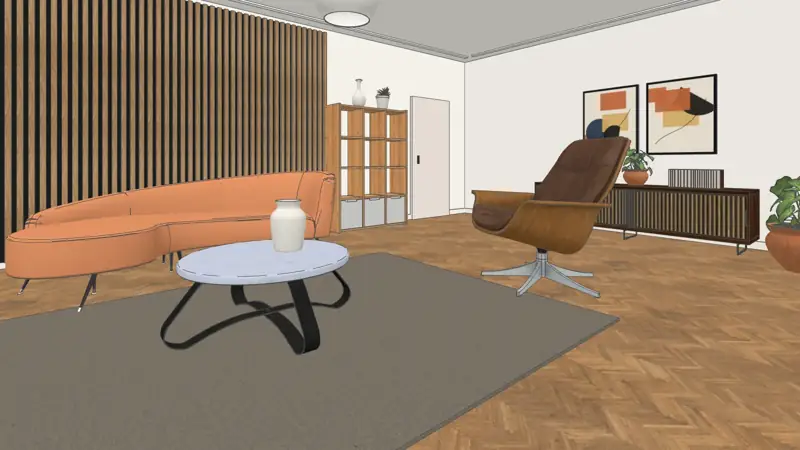
The most complete plug-in: one-click publishing, the material and product library, takeoff and 2D plan.
- Publish
- Library
- Takeoff and plan
- Persian
Plug-in pageDownload181 KB
Blender
Betav0.1.0
Blender 4.2 and later · Windows, macOS, Linux
A panel in the 3D viewport’s sidebar. Publish the scene and use the library’s materials and products.
- Publish
- Library
- Products
Plug-in pageDownload32 KB3ds Max
Betav0.1.0
2022 to 2027 · Windows · English and Persian
Reads V-Ray and Corona materials. Publishes the scene, library materials and catalog products.
- Publish
- V-Ray and Corona
- Library
- Persian
Plug-in pageDownload35 KBRevit
Betav0.1.0
2022 to 2027 · Windows · English and Persian
Publishes exactly what the open 3D view shows, section box and materials included.
- Publish
- 3D view
- Library materials
- Persian
Plug-in pageDownload76 KB
Rhino
Betav0.1.0
Rhino 7 and 8 · Windows
Four commands on the command line: connect, publish, library material, disconnect.
- Publish
- Command line
- Library materials
Plug-in pageDownload29 KB
- 1
Install
Download the plug-in and install it in your software. It takes a few minutes.
- 2
Connect with a code
The plug-in shows a code and you approve it in the studio. No password is typed in the design software.
- 3
Publish
One button turns the model into a tour. Send your client the link or the QR code.
Compare
What each plug-in does
| Feature | SketchUpv1.0.5 | | 3ds Maxv0.1.0 | Revitv0.1.0 | |
|---|---|---|---|---|---|
| Publish straight into a tour | Yes | Yes | Yes | Yes | Yes |
| Update the same tour by publishing again | Yes | Yes | Yes | Yes | Yes |
| Library materials at true scale | Yes | Yes | Yes | Yes | Yes |
| Catalog products in the scene | Yes | Yes | Yes | No | No |
| Start point and stops from cameras and views | Yes | Yes | Yes | Yes | Yes |
| Takeoff and 2D plan | Yes | No | No | No | No |
| Persian panel | Yes | No | Yes | Yes | No |
| Operating system | WindowsmacOS | WindowsmacOSLinux | Windows | Windows | Windows |
| Download | 181 KB | 32 KB | 35 KB | 76 KB | 29 KB |
No plug-in needed
Archicad, Vectorworks and other software
IFC files
Archicad, Vectorworks, Allplan, Tekla and BricsCAD export IFC. The studio converts it in your own browser.
Upload a BIM model (IFC)GLB, FBX and OBJ
Any software that exports one of these, such as Twinmotion and Lumion, works by uploading the file.
Supported formats
Questions
Common questions
Are the plug-ins free?
Yes. Downloading, installing and connecting a plug-in is free, and the free plan publishes one tour. For more tours, move up a plan.
Is my password stored in the design software?
No. The plug-in shows a code and you approve it in the studio. You can disconnect there or in the plug-in at any time; published tours stay online.
Does the plug-in change my design file?
No. It builds a copy of the model for the tour and sends that. Large textures are scaled down in that copy only.
Do I need a new tour after changing the design?
No. Publish again; the same tour and the same link are updated.
How large can the model be?
The model a plug-in sends can be up to 40 MB. Before uploading, the plug-in shows the size and the triangle count.
Is your software not on this list?
Tell us what you work in. These requests decide which plug-in we build next.
Connected apps work on every plan, the free one included.See the plans
Blender is a registered trademark of the Blender Foundation. Rhinoceros and Rhino are registered trademarks of Robert McNeel & Associates. Autodesk, 3ds Max and Revit are registered trademarks of Autodesk, Inc., and SketchUp is a trademark of Trimble Inc. vr-tecture is an independent product, not affiliated with or endorsed by these companies.