Skip to content
How it works Features Who it's for Demo tourWalkable property tour Plug-ins Pricing AR studio About News Help Contact
Start freeRequest a demo

All plug-ins

Blender
vr-tecture plug-inBeta · v0.1.0

From Blender to a walkable tour, without exporting.

The vr-tecture panel sits in the 3D viewport’s sidebar. You publish the scene as it is and send your client the tour link.

vr-tectureBlender
New tourExisting tour
Publish
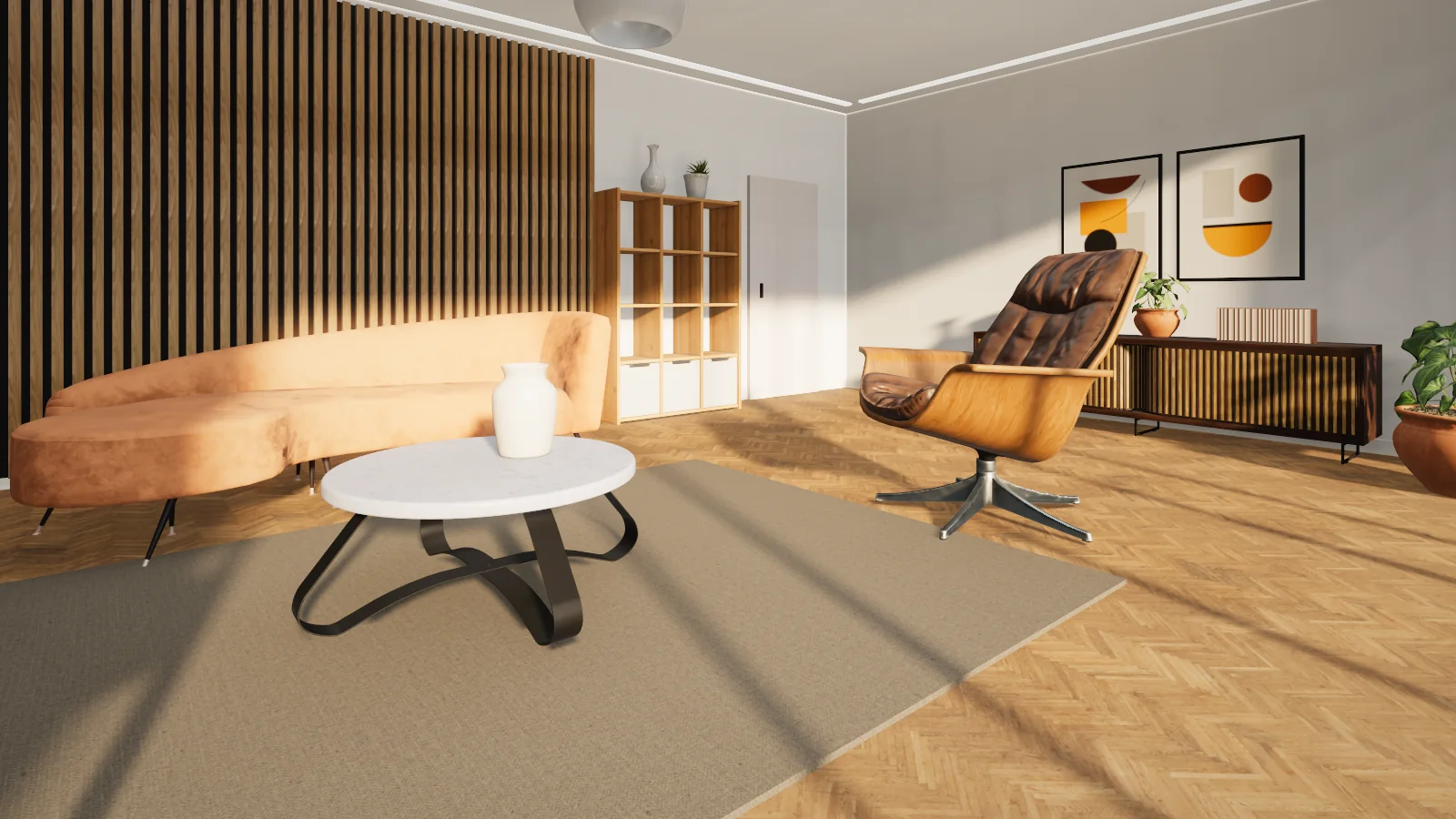
A living room in a walkable vr-tecture tourThe published tour
Version
0.1.0 · Beta
Works with
Blender 4.2+
Operating system
Windows · macOS · Linux
Panel language
English
Download size
32 KB

Install and first tour

Three steps, about five minutes

  1. 1

    Install from disk

    In Preferences › Get Extensions choose Install from Disk and pick the zip file.

  2. 2

    Connect the account

    In the vr-tecture tab of the sidebar (N), select Connect account and approve the code in the browser.

  3. 3

    Publish

    Name the tour, the space and the style, then select Publish. Publishing again updates the same style.

Install from inside Blender Blender 4.2 or later

Add this address to Blender once. From then on the add-on installs from inside Blender and keeps itself up to date.

https://vr-tecture.net/wp-content/uploads/vrt-apps/blender/repo/index.json
  1. In Blender, open Edit › Preferences › Get Extensions.
  2. In the Repositories menu, choose + › Add Remote Repository, paste the address and turn on Check for Updates on Startup.
  3. Search for vr-tecture and select Install.
Or drag this link onto the Blender window

Features

Materials

What you see in Blender

Whatever a Principled BSDF holds travels through Blender’s own glTF export. Your file is not changed.

  • Scenes in millimetres or centimetres are converted to metres
  • Large textures are scaled down in the published model only
  • The scene camera is the starting point; other cameras become stops
Library

Materials and products, ready for the tour

Library materials sit on the surface at true scale without a UV unwrap and show at full quality in the tour. Catalog products can be asked about and ordered in the tour.

  • 137 PBR materials: wood, stone, tile, fabric, metal
  • A product arrives with its full model at the 3D cursor
  • Your client can swap a material for the alternatives you allow

In this version

What is in, and what is not yet

  • Publish to a new or existing tourIn
  • Library materialsIn
  • Catalog productsIn
  • Start point and stops from camerasIn
  • Persian panelNot yet
  • Takeoff and 2D planNot yet

This plug-in is new. If something does not work on your computer, tell us the software and its version.

Questions

Common questions

Does it work with Cycles and EEVEE?

Yes. The plug-in does not depend on the render engine; it reads Principled BSDF materials.

Are modifiers applied?

Yes, the model is sent the way the 3D viewport shows it, and your file is not changed.

Are the plug-ins free?

Yes. Downloading, installing and connecting a plug-in is free, and the free plan publishes one tour. For more tours, move up a plan.

Is my password stored in the design software?

No. The plug-in shows a code and you approve it in the studio. You can disconnect there or in the plug-in at any time; published tours stay online.

Does the plug-in change my design file?

No. It builds a copy of the model for the tour and sends that. Large textures are scaled down in that copy only.

Do I need a new tour after changing the design?

No. Publish again; the same tour and the same link are updated.
Ready for your first tour from Blender?

Connected apps work on every plan, the free one included.See the plansAll plug-ins